A company pays for a careful brand identity, ships the guidelines as a PDF, and a few months later the sales deck carries a stretched JPEG logo and a default system font. Nobody did it on purpose. The right file was simply harder to find than the wrong one.
That gap between the brand as designed and the brand as used is the problem a brand portal solves. This guide explains what a brand portal is, why it exists, what goes inside one, how it differs from shared folders and PDF brand books, and how to start. If you want to see the idea in practice, you can try an online brand guidelines and asset library and compare it with what your team uses today.
What Is a Brand Portal?
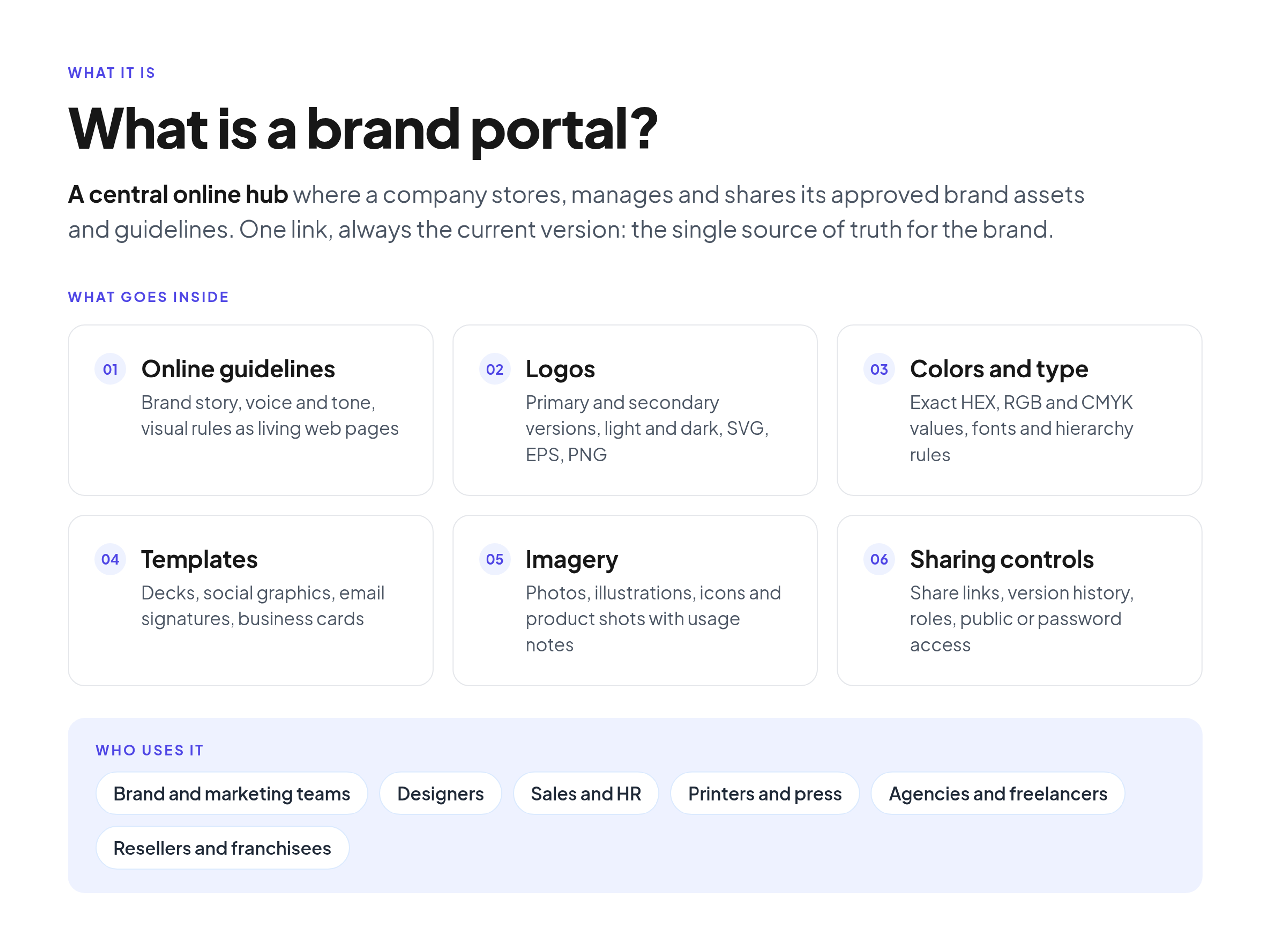
A brand portal is a central online hub where a company stores, manages and shares its approved brand assets and brand guidelines. Instead of digging through nested folders or an outdated PDF, employees and outside partners open one link and find the current logos, colors, fonts, templates and the rules for using them.
In practice, it acts as the single source of truth for a company's visual and verbal identity. The design team publishes final files once, and everyone else helps themselves.
A brand portal usually combines two things that used to live apart:
- Online brand guidelines: the rules for logo use, color, typography, imagery and voice, written as web pages rather than a static document.
- A brand asset library: the downloadable files those rules describe, organized in folders and kept at the latest approved version.
Why Brand Portals Exist: The Purpose
The main purpose of a brand portal is to keep the brand consistent without turning the design team into a help desk.
Brand decay happens slowly. It happens because people take the path of least resistance.
If finding the correct transparent PNG takes ten minutes of searching old email threads, a partner will grab a low-quality copy from a search engine instead. Every off-brand slide, flyer or social post traces back to that moment of friction.
Less time spent searching
Searching for information is a real cost of knowledge work. The McKinsey Global Institute report The social economy estimates that the average interaction worker spends nearly 20 percent of the workweek looking for internal information or tracking down colleagues who can help with specific tasks. "Can you send me the logo?" is a familiar version of that search in marketing teams. A portal answers it before anyone has to ask.
More consistent brand presentation
Consistency also has a commercial side. Marq, which publishes research on brand consistency, writes in its article on measuring brand enablement ROI that its State of Brand Consistency report finds organizations that maintain strong brand consistency see a 10 to 20 percent lift in top-line revenue. A portal does not create consistency by itself, but it removes the most common excuse for breaking it: not having the right file.
Faster onboarding for new people and partners
A new hire, a freelance designer or a print vendor should not need a meeting to learn the brand. With a portal, you send one link, and they can read the rules and download the files the same day.
What Goes Inside a Brand Portal
A useful portal is organized around how people ask for things, not how designers store them. Someone with no design background should be able to find the right logo quickly. Most portals include the sections below.
1. Online brand guidelines
Static PDFs go stale quickly. Online guidelines turn the rulebook into a living page that explains the brand story, voice and tone, and visual principles. Because it lives on the web, you update it once when the brand changes, and nobody keeps reading last year's version.
2. Logos and core assets
This is usually the most visited section. It holds every approved version of the identity:
- Primary and secondary logos, plus logomarks and favicons.
- Light and dark versions for different backgrounds.
- Several file formats, for example SVG for web, EPS or PDF for print, and PNG for office documents.
3. Colors and typography
Instead of making partners guess colors with an eyedropper tool, the portal lists exact HEX, RGB and CMYK values. The typography section explains the type hierarchy and points to the approved font files, along with rules on sizing and spacing.
4. Templates and layouts
Approved starting points stop people from designing from scratch. Typical templates include presentation decks, social media graphics, email signatures, business cards and letterheads.
5. Imagery and supporting files
Photography, illustrations, icons and product shots belong here, ideally with notes on where each one may be used.
6. Controls for how content is shared
The files are only half of the job. A portal also needs controls for distribution:
- Share links: send one specific asset or folder to a vendor without giving access to everything.
- Version history: replace an old file with a new one and keep a record of what changed.
- Roles: decide who can edit guidelines and who can only view and download. A common setup is Admin, Editor and Viewer.
- Public or password-protected access: keep a press kit open to everyone and partner materials behind a password.
- Metadata and tags: help people find assets by search instead of by folder.
Who Uses a Brand Portal?
Brand portals serve two groups: the people who maintain the brand and the people who apply it.
- Brand and marketing teams own the portal. They publish guidelines, upload approved assets and retire old versions.
- Designers stop answering the same file requests and point people to the portal instead.
- Sales, HR and other internal teams pull logos and templates for decks, job posts and events.
- External partners such as agencies, freelancers, resellers, franchisees, printers and journalists get the files and rules they need without waiting for an email reply.
Brand Portal vs Shared Folders, PDF Brand Books and Intranets
I often see teams try to run their brand with tools built for other jobs. Each of these tools is good at something, just not at this:
- Brand portal: built for publishing final brand assets next to the rules for using them, with only current versions visible.
- Shared cloud folder (Google Drive, Dropbox): built for storing work in progress. Files appear without context, and drafts sit next to finals, so people guess which one is current.
- PDF brand book: good for presenting the identity at launch. It becomes outdated the day it is exported, and the files it describes live somewhere else.
- Company intranet: built for internal news and HR content. Brand files get buried, and outside partners usually cannot get in.
The pattern behind most brand mistakes is confusing a working environment with a publishing environment. A shared drive is where designers keep messy source files. A brand portal is where only the final, approved versions are published, organized for the people who use them.
What a Brand Portal Is Not
A brand portal is not a full replacement for every system that touches content. It is not your website CMS, which manages web pages and blog posts. It is not a project management tool for running design work, and it is not the place for raw source files and drafts. Keeping it focused on approved, ready-to-use material is what makes it trustworthy.
Signs Your Team Needs a Brand Portal
You can usually tell it is time when the same problems keep coming back:
- Several versions of the logo live on different laptops and in different folders.
- Partners publish materials with the wrong colors or outdated fonts.
- Designers spend part of every week answering "where is the logo?" messages.
- You just finished a rebrand and need a clean way to roll it out to the company and to partners.
- Your guidelines exist only as a PDF that few people open.
How to Start a Brand Portal
Moving to a brand portal does not require a big technical project. The pattern that works is to start small and grow:
- Collect the finals. Gather the approved versions of your logos, colors, fonts and templates. Leave the drafts behind.
- Write the core rules. Turn the most important parts of your guidelines into short web pages: logo use, color, typography and voice.
- Organize by request. Create folders that match what people ask for, such as Logos, Colors, Templates and Photography.
- Set access. Decide who edits, who views, and which parts are public or password protected.
- Share one link. Replace file attachments in your replies with the portal link, and retire old copies as you go.
If you are wondering what it takes to get started, you can see plans and the 14-day free trial and set up a first portal before committing.
Frequently Asked Questions (FAQ)
Who typically manages a brand portal?
Usually the brand or marketing team. Brand managers act as administrators: they publish assets, update the online guidelines and decide who gets access.
Can external agencies and partners use a brand portal?
Yes. Sharing with outside partners is one of the main reasons to have a portal. Agencies, freelancers, resellers and press can get vector logos, exact color codes and usage rules through a share link or a password-protected portal.
How is a brand portal different from a CMS?
A content management system such as WordPress manages website pages and blog posts. A brand portal stores, organizes and shares downloadable brand assets and displays the guidelines for using them.
Is a brand portal the same as digital asset management (DAM)?
They overlap. DAM is the broader category for storing and organizing digital files. A brand portal focuses on approved brand assets and pairs them with the guidelines, so people get the file and the rules in one place.
Conclusion
A strong brand identity only works if people can find and apply it. Shared folders and static PDFs drift out of date and send every request back to the design team. A brand portal gives everyone one current, approved place to look, which keeps the brand consistent and gives designers their time back. Start with the core files and rules, share one link, and grow from there.