Managing brand files often turns into a permanent, low-level help desk. You spend hours fielding emails for the latest logo file, clarifying hex codes, and explaining which font weight to use on a flyer.
Marketing teams lose a lot of time to this cycle. The usual fix is not more storage; it is one place for living brand guidelines and approved visual assets. That is what Brandportal is built for. A dedicated brand portal that pairs guidelines with downloadable files breaks the file-hunting habit by putting both in one self-serve hub.
If you are evaluating whether to move away from static PDFs and shared cloud folders, the gains show up quickly. A well-run system usually results in:
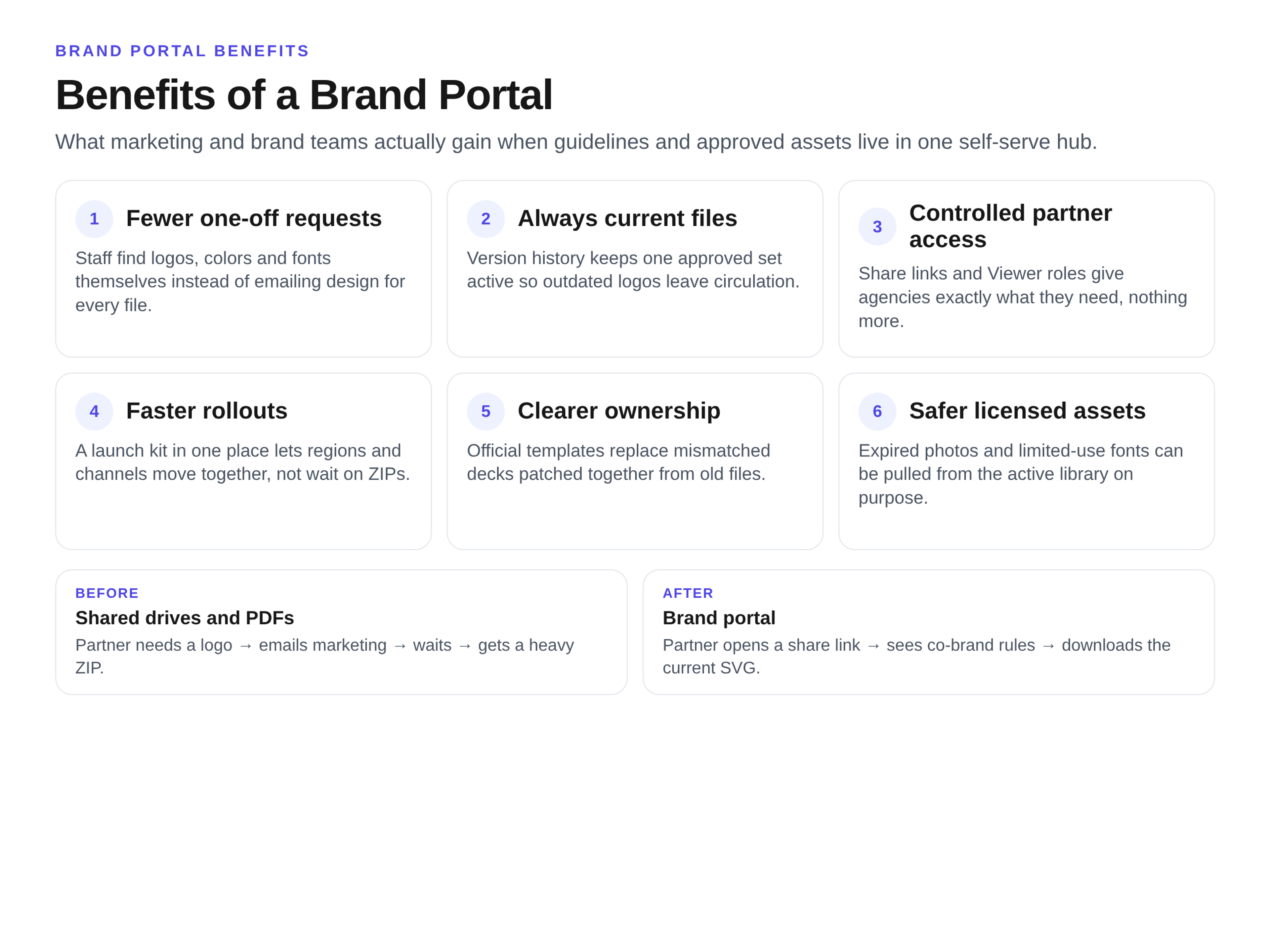
- Fewer one-off asset requests.
- Everyone working from current, approved files.
- Controlled, safe access for freelancers and partners.
- Faster campaign and rebrand rollouts.
- Clearer ownership with less rework.
- Safer usage of licensed photography and typography.
The Daily Shift: A One-Week Asset Request Log
To see the operational shift, look at the micro-interactions. Here is how a typical week of routine requests changes once a central hub is in place.
1. Logo pack for a sponsorship
- Before: Marketing emails the designer, waits a full day, and receives a heavy ZIP file attachment.
- After: Marketing logs in, searches "logo," and downloads the exact SVG right away.
- Human intervention required: None.
2. Brand colors for a web developer
- Before: The developer asks for the brand book PDF, opens it, and manually copies hex codes into their CSS.
- After: The developer copies exact hex, RGB, or CMYK codes directly from the digital guideline page.
- Human intervention required: None.
3. Social template for an event
- Before: The social manager digs through a shared drive, accidentally pulls last year's layout, and publishes an outdated design.
- After: The manager pulls the current, approved template directly from the active "Social Media" collection.
- Human intervention required: A quick visual review of the final post.
4. Old vs. new logo usage
- Before: A sales rep builds a presentation using a three-year-old logo saved to their local desktop.
- After: The old logo is retired in the system. The rep can only find and download the current version.
- Human intervention required: Reminding staff to delete their old desktop files.
5. Partner co-brand lockup
- Before: A partner company asks how to place their logo next to yours, initiating a multi-day email chain of explanations.
- After: The partner clicks a specific share link containing your co-branding rules and the exact layout files.
- Human intervention required: Approving the partner's final draft.
6. Expired photo for a blog post
- Before: A content writer uses a stock photo from Dropbox. The licensing rights expired six months ago.
- After: The photo is marked as expired and removed from the active library.
- Human intervention required: Sourcing new photography to fill the gap.
7. Presentation deck for a pitch
- Before: The sales team patches together mismatched slides from three different old pitch decks.
- After: Sales downloads the official master deck template with locked typography and approved corporate messaging.
- Human intervention required: Crafting the actual pitch narrative.
8. Regional flyer localization
- Before: The regional team asks headquarters to resize and translate a printed flyer, adding a week to the timeline.
- After: The regional team downloads the raw design files and specific font packages from their assigned folder to do it themselves.
- Human intervention required: The local designer handling the translation layout.
Deep Dive: The Core Operational Benefits
Moving from scattered storage to a unified system changes how a marketing department spends its day. Teams stop chasing assets and start focusing on execution.
Self-Serve Access Cuts the Bottleneck
Guidelines usually live in a heavy PDF on a local hard drive. Assets live in a massive, nested Dropbox or Google Drive folder. Finding a specific file means clicking through five levels of folders or tapping the design team on the shoulder.
A dedicated portal replaces folder trees with visual navigation. Users see a thumbnail of the image, video, or template before they download it. With self-serve access, the design team stops acting as a file-retrieval service and gets deep-work time back.
Version Control Stops Outdated Logos
When files are named "Brand_Guidelines_v4_Final_FINAL.pdf" and sit in dozens of email inboxes, you have no reliable way to pull back the old versions.
A portal keeps a single source of truth. When you update a logo or change a brand color, you update it in one place. Version history tracks the changes, and outdated files leave the active library. People are far less likely to download the old version by mistake.
Permissions Protect Your Work
Sharing campaign assets with an external agency usually means attaching large files to an email or giving them broad access to your shared drive. That often exposes confidential internal documents.
A proper system lets you issue specific share links and grant controlled access. You can assign roles such as Admin, Editor, or Viewer. Brandportal, for example, allows unlimited free viewers. External partners get what they need for the job without seeing sensitive internal working files.
Faster Time-to-Market
Launching a new product or rolling out a brand refresh usually means a scramble of emails, meetings, and shared links. Regions and channels update at different speeds.
With a central hub, you build a dedicated launch kit. You notify the company, and everyone reaches their assets from the same place. The rollout can move in parallel across channels and regions instead of waiting on one person to send the next ZIP.
Brand Consistency Builds Trust
Rogue typography, stretched logos, and off-brand colors dilute how professional the brand looks in the market. Guardrails reduce that drift.
Consistency is not only a design preference. When every touchpoint looks like it comes from the same company, people tend to trust the brand more. A portal that keeps logos, colors, and messaging in one approved set is one of the quieter ways teams protect that trust day to day.
The Benefit-to-Signal Checklist
You do not need a complicated ROI study to see whether the system is working. Brand managers can watch these signals in the first weeks after launch:
- Request volume: Count the weekly emails asking for logos or fonts. That number usually falls sharply once people know where to look.
- Time-to-first-file: Measure how long it takes a new hire to find the primary brand color. It often shrinks from a long hunt to a quick search.
- Outdated-file incidents: Track how often sales reps present with old branding. Those incidents should become rare.
- Partner turnaround: Notice how fast external agencies start work. They no longer wait days for basic asset handoffs.
When a Brand Portal Does NOT Help
Be realistic about infrastructure needs. A dedicated system will not fix operations in these scenarios:
- The tiny team: If your company is just you and one founder, a well-organized Google Drive folder is fine.
- The one-off project: If you are building a temporary campaign that dies in two weeks, do not build a permanent library for it.
- No one to own it: A portal is a garden, not a warehouse. If no one is assigned to upload new files, tag them, and delete old ones, the system will fail.
Avoiding the Implementation Trap
Even with the right intentions, bad habits will ruin the experience. Avoid dumping every working file, draft, and sketch into the system. It is meant for approved, final assets only. Failing to assign an Admin means the library will quickly become cluttered. Failing to archive old versions simply recreates the confusion of a shared drive.
Setting up your system takes deliberate curation. Follow these steps for creating a brand portal to build out your categories, invite your initial users, and launch the hub to your team. If you want to try the structure on your own files first, see plans and the 14-day free trial.
Once you move into the portal, keeping order is ongoing work. Read how to keep a brand asset library organized so the new library does not turn into another digital junk drawer.
Key Takeaways
- A brand portal centralizes guidelines and assets, shifting the marketing team from a file-retrieval help desk to a self-serve operation.
- Visual navigation and version control help employees and partners download current, approved files.
- Controlled permissions let you share specific assets with external agencies without exposing internal working documents.
- Early success shows up as fewer email requests for logos, fonts, and hex codes.
- A portal needs an active owner; without someone to archive old files and tag new ones, it becomes just another cluttered folder.
Frequently Asked Questions
How is a brand portal different from a shared drive?
A shared drive (like Dropbox or Google Drive) is designed for storage and working files. A brand portal is designed for presentation and distribution. It pairs the visual brand guidelines directly alongside the downloadable assets, giving users exact context on how to use the files.
How is a brand portal different from a company intranet?
Intranets (like SharePoint or Notion) are built for internal company data, HR policies, and wikis. They are hard to share securely with external freelancers, agencies, and the press. A brand portal is built specifically for visual assets and secure external sharing.
How soon do the benefits appear?
Asset requests usually fall soon after you launch the portal and people start using it as the default source. Improvement in external brand consistency typically shows within one business quarter as old materials cycle out of circulation.
Who needs access first?
Start with your heavy users: the internal design team, the marketing department, and sales enablement leaders. Once they are pulling files on their own, roll it out to external agency partners and the broader company.
Conclusion
Moving brand assets out of static folders and into a dedicated portal is an operational upgrade teams feel quickly. By cutting the friction of finding and verifying files, you give people time back. More importantly, you protect the visual integrity of the brand across every channel, so each external touchpoint looks intentional.