If you need to distribute brand files without losing control of your visual identity, stop sending email attachments. For most growing marketing teams, the default is still a quick Slack drop or an emailed ZIP. It feels fast in the moment. It fails the same way every time.
Those habits create instant duplication. Files leave your oversight the second they hit a desktop. They cause version drift, so outdated typography stays in circulation long after a rebrand. And they give you zero visibility into who is opening pre-release campaign collateral. Wrong files in the wild are one of the quiet ways campaigns go off-brand and money gets wasted on reprints and cleanup.
The reliable method is to keep one central library and distribute curated asset packets with trackable share links. This guide walks through a practical shift from "sending files" to "granting access," so partners get what they need and you keep control of what is current.
The Prerequisite: Establish a Single Source of Truth
Before you can distribute files well, you need a single source of truth. You cannot build a secure sharing process on top of a messy local hard drive or a chaotic, unmanaged Google Drive folder. If people still hunt for logos in email threads, personal Dropbox folders, and old Slack channels, every new share just spreads the mess farther.
If your current structure is a mess, start with a system for organizing brand assets before you distribute them. Modern teams usually put that library inside an online brand guidelines and asset library, a self-serve hub that pairs living guidelines with downloadable files. For a plain overview of how that hub works, see what a brand portal covers beyond a shared drive.
Distributing brand files is a different job from distributing brand rules. Asset packets answer "which files can I use today?" Guidelines answer "how should those files look and sound?" If you need to send strategy docs and tone-of-voice guidance, use the companion guide on distributing brand rules separately from the downloadable files.
The Framework for Secure Asset Distribution
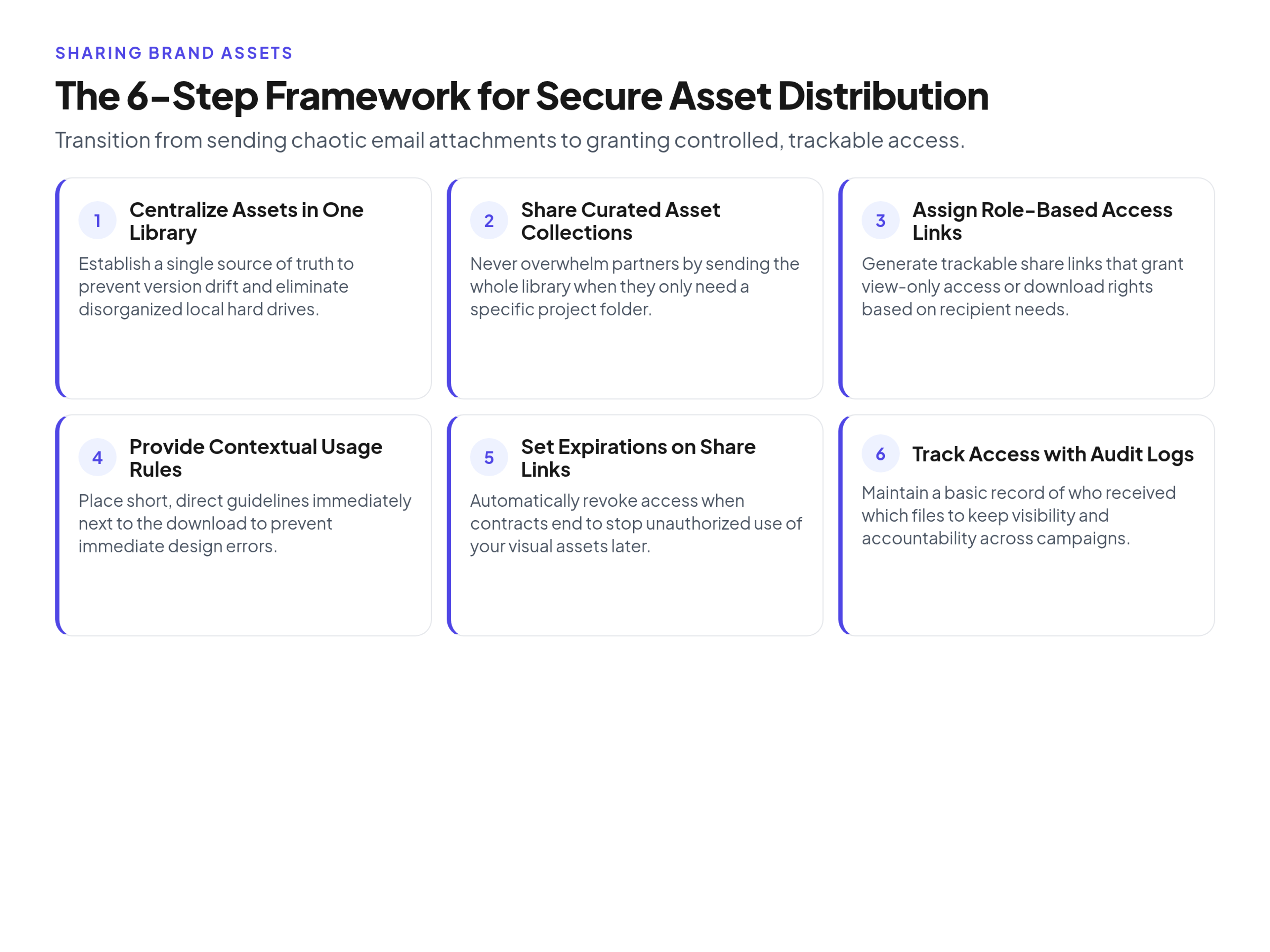
A workable distribution process rests on five habits: curated collections, role-based access, version control, usage context next to the file, and the right formats for each audience. You can adopt them in a shared drive at first, then move the same habits into a dedicated portal when the audience list grows.
1. Share Curated Collections, Not the Whole Library
Never send a link to your entire company asset library when a partner only needs three specific files. A full-library link overwhelms external partners and raises the chance they download something meant for a different campaign. Create a specific, isolated folder or collection for the project at hand. Name it for the project ("Fall Launch Retail Kit"), not for the person who asked, so the same packet can be reused when the next retailer asks for the same set.
2. Enforce Role-Based Access
Control exactly what people can do with the files you share. In Brandportal, you can assign Admin, Editor, or Viewer roles, and invite unlimited free viewers so partners can pull approved files without burning a paid seat. When you send files externally, generate a share link that grants view-only access or download rights based on what the recipient actually needs. Compare pricing if you want to try a paid plan with a 14-day free trial.
Keep a short log of who received which link and when it expires. That who-got-what note is what lets you shut access down cleanly when a contractor finishes or a partnership ends.
3. Maintain Strict Version Control
Always link to the asset; never attach the raw file itself. With version history in a central library, updating a file replaces it everywhere the share link points. If you upload a corrected social template, the link you sent your PR agency yesterday points to the corrected file today. Attachments cannot do that. Once a ZIP leaves your outbox, every copy is frozen in time, and fixing a mistake means chasing people instead of updating one source.
4. Provide Contextual Usage Rules
External partners rarely open a 50-page brand book before they download a logo. Put short, clear usage rules next to the download button. A note such as "Use this reverse logo only on dark backgrounds," attached directly to the file, prevents a lot of immediate design errors. Keep the note to one or two sentences. If the rule needs a diagram, link to the relevant guideline page rather than pasting a chapter into the file description.
5. Provide the Right Formats
Give people the file types they know how to use. Offering only a master AI or layered design file forces non-designers to improvise, which is how low-res screenshots end up on partner sites.
- Vector formats (SVG, EPS): For professional designers and print vendors.
- High-resolution raster (PNG, JPG): For social media managers and web developers.
- Office formats (PPTX, DOCX): For internal staff who do not have Adobe Creative Cloud or Figma installed.
When in doubt, include the export the recipient will actually place, plus a note pointing designers to the vector source if they need to resize or recolor.
Creating Share Packets by Audience
Different collaborators need different packets. Structure what you include, what you leave out, and how long the link lives for the five audiences you meet most often. The goal is not to be stingy. It is to make the correct choice the easy choice.
1. Internal Marketing Team
- What to include: Full access to campaign assets, master vector logos, typography files, presentation templates, and working design files.
- What to exclude: Financial documents, unapproved draft concepts, and archived legacy logos.
- Default link expiry: Never. Use persistent, role-based accounts instead of temporary links.
Internal access should feel like the default workplace, not a temporary guest pass. People who live in the brand every day need speed more than expiry dates.
2. External Agency (Design or Ad Agency)
- What to include: Vector logos, brand fonts, high-resolution photography, raw video footage, and current brand guidelines.
- What to exclude: Internal strategy decks, unrelated product lines, and everyday office templates.
- Default link expiry: Six months, or tied to the contract end date.
Agencies need production-ready sources. They do not need every internal deck your sales team uses for QBR slides.
3. Freelancer (Copywriter or Specialist)
- What to include: Specific project briefs, web-ready logos, relevant product imagery, and tone-of-voice guidelines.
- What to exclude: Vector master files, raw video, and anything outside their project scope.
- Default link expiry: 30 to 60 days.
Scope the packet to the assignment. A copywriter writing three landing pages does not need the print packaging set.
4. Channel Partner (Retailer or Reseller)
- What to include: High-resolution product shots, lifestyle imagery, approved co-branding lockups, and point-of-sale print files.
- What to exclude: Unreleased product photos, internal working files, and editable design templates.
- Default link expiry: One year, with an annual compliance review.
Partners sell with your brand in public. Give them finished, approved exports, not editable masters they can restyle without review.
5. Press and Media
- What to include: High-resolution executive headshots, standard web-ready company logos, press releases, and approved facility photography.
- What to exclude: Vector files, working templates, campaign-specific advertising assets, and any internal documentation.
- Default link expiry: Never. Keep a publicly accessible press kit link.
Journalists move fast and bookmark one URL. Keep that kit current and boringly reliable so they do not scrape an old logo from a search result.
Campaign Walkthrough: The Product Launch Kit
Here is how the same product launch kit behaves under the old method and under a portal method. The files are identical. The difference is whether you can fix a mistake without starting a scavenger hunt.
The Before State (Legacy Method)
A marketing manager compiles about 40 megabytes of product photos, a spec sheet, and two logos. They compress it into a ZIP and email it to six people: two internal reps, a freelance designer, a PR contact, and two retail partners. The next day, a product manager finds a pricing error on the spec sheet. The marketing manager has to email all six people, ask them to delete the previous ZIP, and attach a new one. Three people miss the email. The incorrect pricing goes to print.
The After State (Portal Method)
The marketing manager uploads the files into a "Fall Launch" folder in the central library. They generate one share link with view and download access, set a 30-day expiry, and send the link. When the pricing error turns up, they upload the corrected spec sheet as a new version over the old file. The share link stays the same. Anyone who clicks it from that moment forward sees only the correct pricing. Nobody needs a follow-up "please delete the old ZIP" thread, and the who-got-what log already shows which audiences still have access before the launch window closes.
Key Takeaways
- Stop emailing files. Treat distribution as granting access, not shipping attachments.
- Curate for the recipient. Never share the whole library when three assets will do.
- Set expiry on external share links for contractors, freelancers, and agencies.
- Put short usage rules next to the download button so people see them before they use the file.
- Keep one current version in the library so every live share link points at the same file.
Frequently Asked Questions
When is a Google Drive or Dropbox folder enough?
A shared cloud folder works fine for a small, high-trust team of a few people. Once you hire external contractors, work with an agency, or scale past a dozen employees, generic storage becomes a liability. You need clearer version history, role separation, and visual previews that a plain Drive, Dropbox, SharePoint, or Notion folder does not give you out of the box. If you are still on shared folders today, keep the packet-by-audience habits anyway. Those habits transfer cleanly when you move the library later.
How long should share links live?
Set external links to expire within 30 to 90 days by default. Press kit links and internal portal access can stay permanent. You can always issue a new link if a freelancer's contract extends. You cannot cleanly un-share an open folder without breaking access for everyone else. Calendar the expiry the day you send the link, not the day someone asks why an old contractor still has last quarter's assets.
What belongs in a press kit versus a partner kit?
A press kit is for journalists and media outlets. It needs high-res leadership photos, company backgrounders, and standard logos. A partner kit is for companies actively selling your product. It needs co-branding guidelines, retail promotional graphics, and product specification sheets. Keep those audiences on separate links so a retailer never receives unreleased photography meant only for embargoed press, and a journalist never digs through editable POS templates.
Do freelancers need their own accounts to access our assets?
Usually no. Most external collaborators only need a secure share link with download permissions. If you use Brandportal, paid plans include a 14-day free trial for core administrators, and you can invite unlimited free viewers so freelancers pull approved files without a paid seat. Create a named account only when someone needs to upload, edit metadata, or manage folders for more than a short project.
Conclusion
Sharing brand assets well is less about the channel and more about the habit. One library, curated packets, clear roles, version history, and short usage notes next to each download beat another ZIP in Slack. Start with the audiences you already work with, give each of them a packet that matches their job, and retire the attachment habit as soon as the first corrected file proves the point.